Wednesday, February 22, 2017

How to track android phone
How to track android phone ?
“How to track my lost or stolen Android phone or mobile?” is one of the questions that 80% of the android users have in their mind around the world
There are normally two ways to find your lost Android phone. The first method is locate your phone with the help of tracking app and second method is to find your android phone without tracking app. We are going to show both ways as how can you do it for yourself.
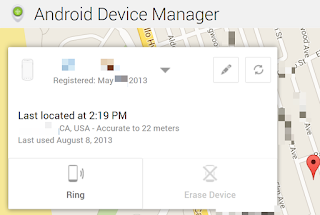
1. Google’s Android Device Manager
“How to track my lost or stolen Android phone or mobile?” is one of the questions that 80% of the android users have in their mind around the world
There are normally two ways to find your lost Android phone. The first method is locate your phone with the help of tracking app and second method is to find your android phone without tracking app. We are going to show both ways as how can you do it for yourself.
1. Google’s Android Device Manager

How to Hide your IP Address
How to Hide your IP Address?
When you connect to the Internet, your ISP assigns you an IP address. When you surf the web, your activity can be tracked with your IP address. The IP address can be used to locate a person although not precisely, and trace the Internet activity. To surf anonymously and protect your privacy, you'll need to hide your real IP address.

Create a shutdown and Restart Shortcut
Hi Friends, Today we are seeing about create a shutdown and restart shortcut. It is use quick shutdown and restart.
Create a Shutdown shortcut?
Now create shutdown shortcut on your desktop and quick shutdown your Computer or laptop.
Follow These Steps:-
Create a Shutdown shortcut?
Now create shutdown shortcut on your desktop and quick shutdown your Computer or laptop.
Follow These Steps:-
- Right Click on your desktop screen.
- Click on New.
- Now click on Shortcut.
- Shortcut Will be open.
- In Next menu type: shutdown -s -t 00
- Now Click On next and then click on finish.
Monday, February 20, 2017

How to block unwanted emails?
Do you want to block unwanted emails from your ex girl friend? Do you want to block those annoying offers and newsletters that reach your inbox? Well, here is a way to block all those unwanted and annoying emails that you do not want to see or read!
In this post, I will show you a trick using which you can block individual email address or the whole domain from which you do not want the emails to come from.

How to root android phone?
What is Rooting?
Rooting is allows users to dive deeper into a phone's system. Essentially, it'll allow you to access the entire operating system and be able customize just about anything on your Android. With root access, you can get around any restrictions that your manufacturer may have applied. You can do any thing.
Friday, February 17, 2017
Tuesday, February 14, 2017

How to Repair a Damaged SD Memory Using SDFormatter

Have you damaged your SD memory? Do not your devices recognize it? Repair it now with SDFormatter. An application with which you will learn how to repair a damaged sd memory and you will get your computers to recognize any memory as bad as it is.
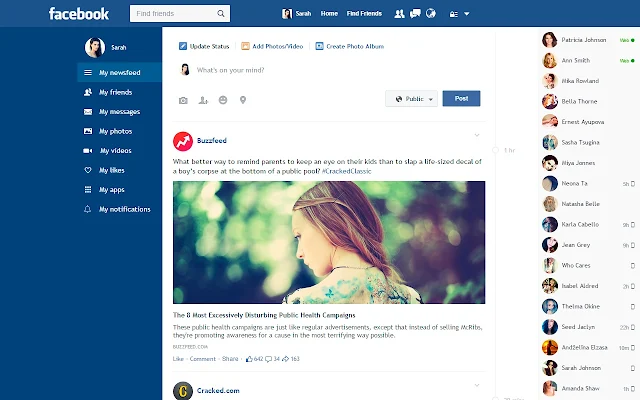
New Flat Facebook Style In Chrome
Facebook Flat Chrome Extension
We all getting bored with old facebook design, If you think same like me, they try this new facebook look into your facebook account.
Monday, February 13, 2017
Wednesday, February 08, 2017
Tuesday, February 07, 2017

Windows 8.1 (AIO) [MEGA Link]

Windows 8.1 (AIO) [MEGA Link] 32/64 Bits | Size: 4.98 GB
Description:
Windows 8 is a version of Microsoft Windows, operating system developed by Microsoft, to be used in PC computers, laptops, tablets and the like. It was definitely released on October 26, 2012, with great expectation, due to the great changes announced.
Sunday, January 29, 2017

Paytm Recharge offers : Free Rs. 20 recharge For New users
Paytm Free rs. 20 Recharge Offer : paytm is offering its new users a free 20₹ recharge,in order to avail this amazing offer,just head to the paytm app on your respective phone platform,signup for your account and initiate a recharge for 20₹,apply the coupon code as FIRST20, The amount payable will get down to zero ,proceed and get your recharge for free.
Subscribe to:
Posts (Atom)